.svg)


.png?width=20&height=20&name=Vector%20(1).png)


.svg)
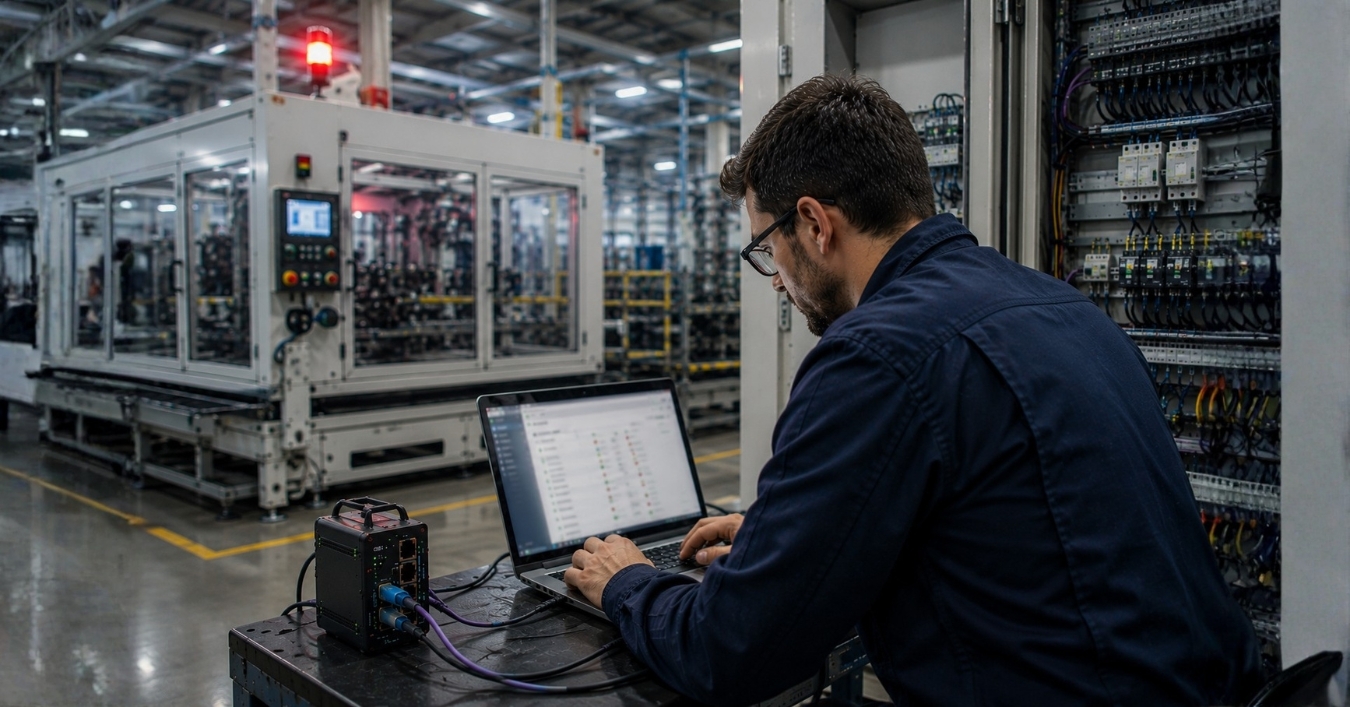

“The machine isn’t connecting.” It’s one of the most common support calls we receive and one of the hardest to diagnose remotely, because the failure could be happening at any one of a dozen different points between the machine and the cloud. To give technicians clearer answers, our Devices team have expanded our troubleshooting tools . Now you can better identify whether the problem is within the local network, firewall, VPN connection, or a recent configuration change.
Why industrial connectivity failures are difficult to diagnose
As the diagram below shows, an industrial connection must pass through several distinct stages: from the machine and local network through the Amphion gateway, firewall, internet connection, VPN, and remote service platform.
A problem at any one of these points can make the machine and the device appear offline.
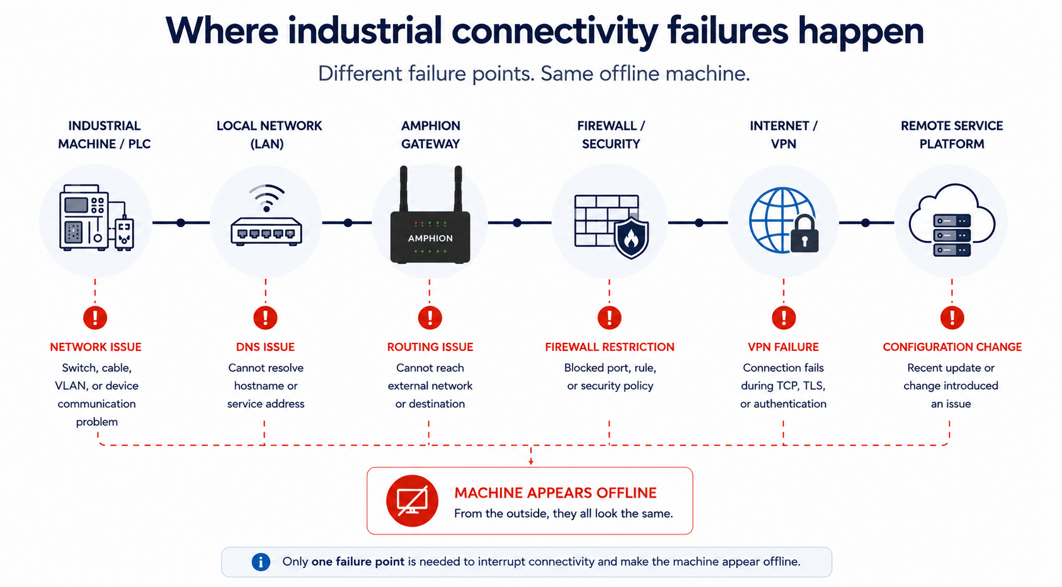
From the outside, a DNS issue, routing problem, blocked port, failed VPN connection, and recent configuration change can all produce the same visible symptom: the device is not connecting. That is what makes these cases so challenging. Each potential cause requires a different test, may involve a different system, and often falls under the responsibility of a different IT, OT, service, or engineering team.
Until the source of the problem is identified, troubleshooting can become a slow process of elimination involving multiple teams and support escalations. In industrial environments, that delay matters. Connectivity problems can slow remote service, delay production support, and extend downtime while teams work to determine where the failure is actually occurring.
As the team responsible for developing and supporting ei³’s industrial connectivity hardware, we see these challenges regularly. That experience shaped three new troubleshooting tools now built into the Amphion Gateway Web-UI. Each one provides visibility into a different part of the connection path, helping technicians isolate the likely source of a problem before deeper investigation from ei³ engineers is required.
Three built-in connectivity troubleshooting tools
Each tool focuses on a different stage of the connectivity path, giving technicians clearer visibility into where failures are actually occurring and helping them determine the next step faster.
|
1. Direct TCP/IP Connectivity Tool Is the problem on the LAN, or somewhere further out?One of the first questions during troubleshooting is whether the gateway can actually reach the intended device or service. This tool lets technicians test reachability directly from the gateway itself across specific network interfaces, helping quickly determine whether the issue is occurring on the local machine network, within external connectivity paths, or somewhere in between. In many cases, the results immediately point technicians in the right direction. If ping succeeds but a port check fails, it's a firewall issue. If DNS fails but IP connectivity still works, it's a DNS configuration problem. Instead of relying on assumptions, technicians can isolate many common connectivity issues in minutes. |
|
2. VPN Troubleshooting Tool Which stage of the VPN connection is failing?VPN failures are particularly difficult to diagnose because corporate firewalls, deep packet inspection systems, and IDS/IPS platforms can all interrupt secure connections at different points, often without clearly indicating why. Learn More: How to Use the VPN Test Page on the Amphion S14 → |
|
3. Configuration Deployment History Tool Did something change right before the problem started?Connectivity issues are not always caused by network conditions alone. Sometimes the root cause is a recent configuration or deployment change that unintentionally introduced a problem.
|
Faster industrial connectivity fixes means less downtime
Together, these three tools give technicians greater visibility into the industrial connectivity path.
The Direct TCP/IP Connectivity Tool helps determine whether the gateway can reach the intended device or service. The VPN Troubleshooting Tool identifies the stage at which a secure connection is failing. The Configuration Deployment History Tool shows whether a recent change may be connected to the problem.
No single test can diagnose every possible industrial connectivity issue. But better visibility allows technicians to replace broad assumptions with useful evidence. Knowing whether a failure is most likely related to the local network, firewall, VPN connection, or a recent configuration change does more than help resolve the issue faster. It also helps ensure that the right people begin working on the right problem sooner.
That can mean fewer unnecessary escalations, more productive coordination between IT and OT teams, faster remote support, and less downtime for the connected machine.
ABOUT THE AUTHOR
Chris Lombardi is the Senior Engineering Manager, Devices at ei3, where he leads the development of ei3's industrial connectivity hardware. With expertise in industrial networking, secure remote access, and edge computing, Chris focuses on building reliable connectivity solutions that help OEMs diagnose connectivity issues, streamline remote service, and improve the reliability of connected machines.

Chris Lombardi
Connect with me on Linkedin
The Foundation of Secure Industrial Connectivity
Learn how ei³'s layered security architecture protects industrial remote access, machine connectivity, and OT environments with enterprise-grade security controls.







.svg)
.svg)
.svg)